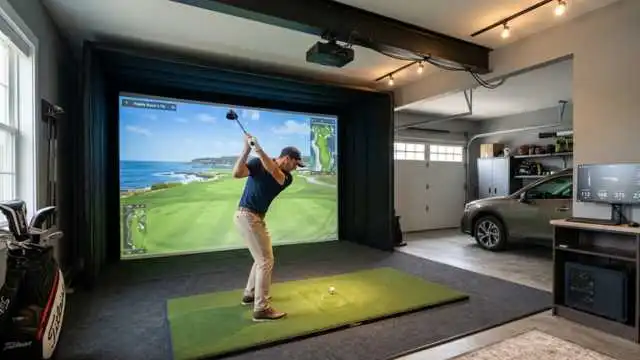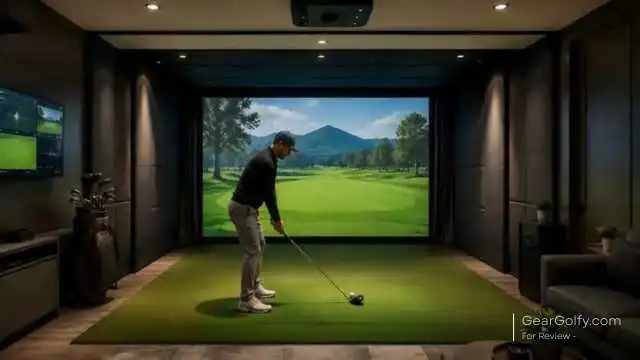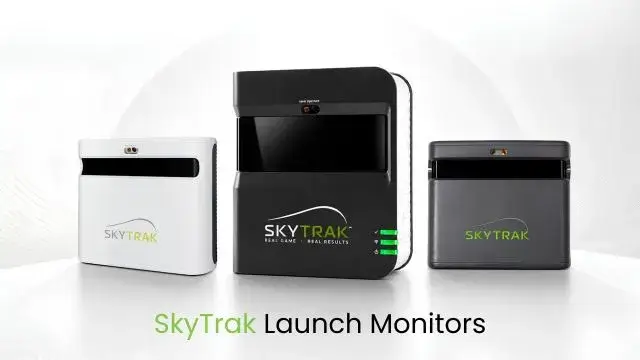
A SkyTrak Launch Monitor is a portable golf shot-tracking device that captures ball and club data using high-speed cameras and, in newer models, Doppler radar. It can show shot results, enable powerful structured practice sessions, and connect to golf simulator software for use in indoor courses.
A professional fitting studio is no longer required to see what happens at impact when a golfer strikes the ball. Nearly every shot you hit is recorded by the various numbers available from a modern launch monitor: ball speed, launch angle, spin, carry distance, club path, etc.
This information can help narrow the focus of your practice. Also gone are the days of second-guessing why a ball faded, flew too low, or fell way short; you can directly compare the result to quantifiable swing and ball-flight numbers.
SkyTrak Launch Monitor family of devices is especially favored by golfers constructing an indoor golf simulator. The way it fits on the side of a golfer requires less depth than many radar-based systems, and its software allows for practice, challenges, shot analysis, and even virtual course play.
Table of Contents
What Is a SkyTrak Launch Monitor?
The SkyTrak Launch Monitor is a portable golf training and simulation system made by the brand SkyTrak. It is designed for serious gamers and coaches, as well as recreational golfers who want detailed data without the cost of a commercial studio system or a home sim.
SkyTrak devices are located near the hitting area, not several feet behind it. That makes them great for garages, basements, spare rooms, and other spaces big enough to accommodate a full swing but limited in how far the ball can actually travel.
How Does a SkyTrak Launch Monitor Work?
The original SkyTrak utilizes a photometric tracking system. Infrared lighting and a laser help determine the optimal hitting point, while two high-speed cameras record the ball at impact and just after. It runs through analyses of how those images were used to assess ball speed, launch angle, launch direction, and spin.
The latest models blend the more refined camera system with twin Doppler radar. The cameras continue tracking the ball while the radar records how the club moves through impact.
When the device reads the source data, SkyTrak Launch Monitors synthesises an approximation of the ball flight. The ball and club data can be utilized to calculate metrics like carry distance, total distance, descent angle, shot shape, smash factor, face-to-path, etc.
Put the ball inside the hitting zone that is lit up. Level, alignment, light, and ball position all play a role in accuracy because an incorrect setup can yield missed shots or result in misleading feedback.
Current SkyTrak Launch Monitor Models
SkyTrak’s product lineup has changed. The current flagship model is the ST MAX, and the ST+ has now been retired as a new, standalone offering from SkyTrak. As for what’s still available, the company continues to offer certified pre-owned ST+ and OG models, as well as curated bundles with older hardware.
That leaves buyers with one of three sensible options: a low-cost base model, a discounted or pre-owned ST+, or the most current ST MAX.
Original SkyTrak Launch Monitor (SkyTrak OG)
The camera-based home golf simulator was made more accessible due in part to the original SkyTrak Launch Monitor! Twin-High-Speed Cameras measure ball speed, launch angle, backspin, sidespin, and horizontal launch direction. Then its software calculates the flight and distance of the ball.
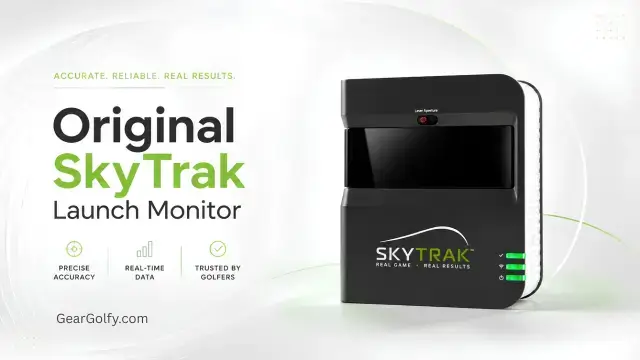
Its biggest advantage is value. Those affordable certified pre-owned units, while certainly lower than the price of newer hybrid camera-and-radar models, can serve up accurate ball data and working simulator functionality.
Its original model is only your size, and it rests next to the golf ball — it doesn’t demand several feet of clear real estate behind the golfer. You can use it for outdoor photos, but you still would only want to do that from a mat and NOT with direct sunlight on the lens.
There are limitations. It does not directly capture the club data of the ST+ or ST MAX, has a smaller hitting zone, and its legacy processing can feel slow. Best budget option for golfers mainly wanting ball-flight feedback and home simulation.
SkyTrak Plus Launch Monitor (SkyTrak+)
Dual Doppler radar was introduced along with a new photometric camera system for the SkyTrak Plus Launch Monitor, which also transitioned under the ST+ brand. Cameras measure ball flight, while radar provides clubhead speed, club path, face angle, smash factor, and face-to-path.
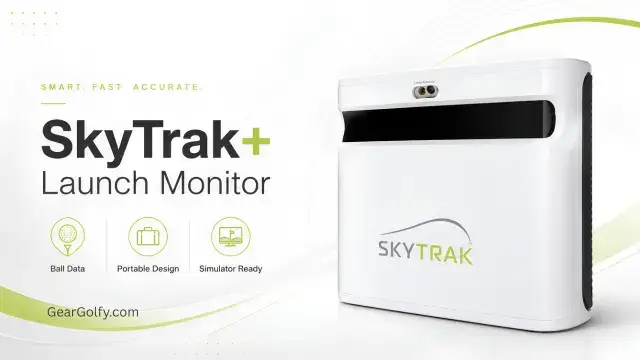
Relative to the original, both ST+ models are faster to process shots, have improved outdoor performance on a mat, more detailed club data, and enhanced Shot Optimizer. The optimizer compares logs with optimal launch conditions and once again gives golfers insight into whether a shot was optimally efficient rather than rapidly long.
A small side-mounted design is still very useful for indoor golf simulator rooms. You get four hours of rechargeable battery life, direct and network connection modes, and a compact 1.7-pound body according to the official specifications.
SkyTrak no longer sells the ST+ as a brand-new standalone monitor, but you can still purchase certified pre-owned devices. There’s potential for it to be a solid step up from the ST MAX when priced noticeably lower.
SkyTrak ST MAX Launch Monitor
SkyTrak Launch Monitor — the latest and greatest model currently on offer from SkyTrak. Leading the way is dual Doppler radar and photometric camera tracking with an updated modular internal design, double USB connectivity, a larger hitting zone, and GOLFTEC Speed Training.
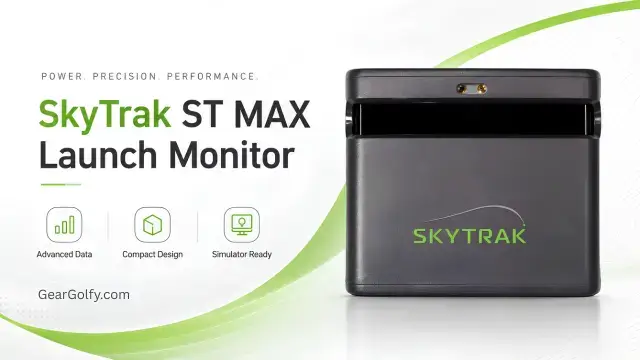
Ball Metrics Reported: Ball Speed, Launch Angle, Side Angle, Backspin, Side Spin, Carry Distance, Total Distance, Descent Angle, Shot Shape. Club Metrics: clubhead speed, club path, face angle, smash factor, face-to-path
You can place as many balls as you like within a wider hitting zone, and the charge-and-play design is perfect for marathon sessions at home on your simulator. New Speed Training pours in guided drills for clubhead speed seekers.
The ST MAX range does at least make more sense for those who want the latest hardware, complete ball and club data, manufacturer support and a simulator that will last you several years. An owner of an ST+ capable of using the upgrade might find it less relevant unless they want the larger hitting zone, new look or speed-training tools.
Original SkyTrak vs. SkyTrak Plus vs. ST MAX
| Feature | Original SkyTrak | SkyTrak ST+ | SkyTrak ST MAX |
| Tracking technology | Photometric cameras | Dual Doppler radar and cameras | Dual Doppler radar and cameras |
| Ball data | Core speed, launch and spin data | Expanded ball-flight data | Expanded ball-flight data |
| Club data | No comparable direct club tracking | Speed, path, face and related metrics | Speed, path, face and related metrics |
| Shot response | Slower legacy processing | Faster than the original | Near-instant modern processing |
| Hitting zone | Small | Approximately 2 x 2 inches | Approximately 4 x 4 inches |
| Wi-Fi | 2.4 GHz network and direct modes | 2.4 GHz network and direct modes | Network and direct connection modes |
| Portability | Excellent | Excellent | Excellent |
| Indoor use | Very good | Excellent | Excellent |
| Outdoor use | Best in shade on a mat | Improved mat performance | Designed for indoor or outdoor use |
| Simulator compatibility | Supported, but verify the software | Broad SkyTrak app support | Current SkyTrak ecosystem |
| Subscription | Advanced features require membership | Advanced features require membership | Advanced features require membership |
| Typical category | Budget refurbished | Midrange refurbished | Current premium consumer model |
| Best suited for | Ball data and affordable simulation | Club data at a discounted price. Latest | features and long-term ownership |
Specifications and software access can evolve over time with upgrades, subscriptions, or even new versions. Before ordering a listing, be sure to check the official one first!
What Data Does a SkyTrak Golf Launch Monitor Measure?
The available data depends on the model.
Model information differs depending on the data it is trained on. Ball speed is the velocity of the ball as it exits the clubface. The launch angle is the vertical angle it starts at, while the side angle shows if it starts left or right of the target line.
Backspin affects how high and far the ball will fly and how much it will stop. The third factor to keep in mind is the equivalent curvature of a ball during flight, referred to in software as side spin.
Typically, carry distance, total distance, descent angle, offline distance, and shot shape are all derived from measured launch and spin data. You are, of course, just modeling them rather than measuring one ball traveling all the distance.
Radar provides club data (including clubhead speed, club path, and face angle) on the ST+ and ST MAX. Smash factor is Ball Speed / Clubhead Speed; on the other hand, face-to-path comes from face angle and club path.
SkyTrak Launch Monitor Accuracy
While this is very useful and repeatable data for golf shot analysis, user setup quality can be just as important in the case of all launch monitors — most importantly, SkyTrak!
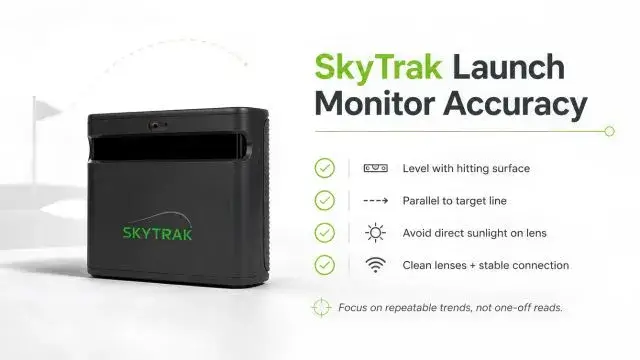
You want this unit to be in line with the hitting surface, level, and parallel to the target line. There are a few things you can do — have the logo or line of the ball facing the camera. This may result in failed or erratic readings from direct exposure of the optical lens to sunlight.
It can also cause problems with uneven mats. If your monitor is lower than (or higher than) the ball, launch measurements may not be as accurate. Your attention is absorbed in the swing, and slowly your alignment changes because you’re pulling the mat with you.
While its indoor lighting should be uniform, it doesn’t want the hitting area to be inundated with intense light that is aimed at the cameras. By utilizing clean lenses, updated software, proper ball placement, and a stable connection on your network, you are able to make the interruptions significantly less.
Manufacturer results and third-party comparisons are helpful, but there is no such thing as a perfect consumer device for every shot. Rather than altering your approach because of a one-off peculiar reading, look for repeating behaviour (5 or more swings) custom surprise box.
Can You Use SkyTrak Outdoors?
Yes, all SkyTrak launch monitors tend to perform better outdoors, but placing one on a hitting mat in direct sunlight isn’t the ideal setup.
Have the device even with the ball, properly align it, and use a clean, well-marked ball. An indoor covered range bay is ideal, much better than an open grass range, because the strike region remains consistent and sunlight does not affect the cameras.
For this reason, golfers who mainly practice outdoors might enjoy a back-positioned radar system better as well, and the radar is able to register more of the ball’s actual flight. SkyTrak tends to shine for indoor setups or setups where minimizing space is a higher priority.
SkyTrak Golf Simulator Software and Subscriptions
SkyTrak includes its app, which has a virtual driving range and is capable of bag mapping, wedge practice, skills assessments, random practice, challenges, alongside shot scoring tools and other info to improve your game.
Currently, SkyTrak has three tiers of membership: Essential, Core and Elite. Additional options in Core include course packs driven by Foresight or Trackman, whereas Elite incorporates the full breadth of courses. Features, course catalog, and plan prices can be subject to change
Not every basic function requires a paid membership, while premium practice tools, cloud storage, competitions, and virtual course play may require an active plan. The upfront cost of a home golf simulator is only part of the investment. You’ll also need to budget for any ongoing software subscriptions or fees.
Also, access varies depending on the computer, tablet, OS availability, and software package installed. SkyTrak’s existing app, offering a functional experience for Windows, macOS, iOS, and some Android hardware, already requires more powerful specifications for full course simulation with pretty graphics compared to basic shot display.
Before you purchase third-party simulator software, make sure that the software is compatible with your specific SkyTrak model and desktop operating system. Do not assume that an older integration will be available forever.
Pros and Cons of SkyTrak Launch Monitors
Pros
- Compact side-of-ball placement
- Strong indoor ball and spin tracking
- Home simulator and practice features
- Club data on ST+ and ST MAX
- No long rear tracking area required
- Portable enough for different hitting spaces
- New, refurbished, and bundle options
Cons
- Advanced features may require an annual membership
- Direct sunlight can affect camera performance
- Older units have smaller hitting zones
- Original SkyTrak lacks full direct club tracking
- Software and course costs can increase the total ownership cost
- Right- and left-handed players may need to reposition the device
Who Should Buy a SkyTrak Launch Monitor?
Beginners
For a beginner learning normal carry distances and what typical launch conditions are, SkyTrak launch monitors can provide good data, but you should not get wrapped around every number.
Mid-handicap golfers
Most likely, the higher handicap golfer will benefit the most. Practical scoring flaws can be revealed with bag mapping, wedge practice, shot dispersion, and face-to-path feedback.
Serious players and coaches
For the most serious players and coaches, choose ST+ or ST MAX for club data. On the other hand, coaches needing impact-location images or attack angle (or an even larger collection of advanced stats) should look for higher-end models.
Home simulator owners
Home simulator owners are an obvious choice since SkyTrak takes virtually no room behind the ball. The ST MAX is the safer long-term bet, but a second-hand original or ST+ can help with that initial outlay.
Outdoor-focused golfers
Radar-first devices should be compared before purchase by outdoor-focused golfers. SkyTrak comes outside, but its best use case is still indoor practice and home sim.
SkyTrak vs. Other Golf Launch Monitors
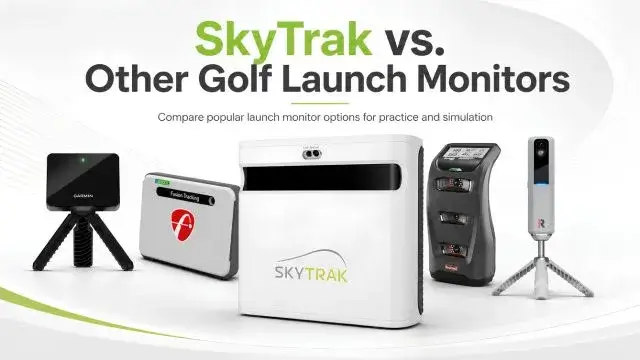
SkyTrak vs. The Garmin Approach R10
Garmin Approach R10 is the best budget radar with a great battery and access to many virtual courses. It is positioned behind the golfer and requires more area for indoor tracking compared to SkyTrak, which is easier to place in a shallow area.
SkyTrak vs. FlightScope Mevo+
Another radar-based alternative is FlightScope Mevo+, which can track indoors or outdoors and has optional club-data packages. As it sits behind the ball, with no visible ball flight, it typically requires more total room as well.
SkyTrak vs. Bushnell Launch Pro
Camera-based ball tracking at the side of the ball; e.g., they are appealing to buyers who want top-notch accuracy, onboard displays, and good indoor-outdoor performance; however, their hardware and software usually come at a higher price point. Bushnell Launch Pro‘s subscription requirements vary from those of the GC3.
SkyTrak vs. Rapsodo MLM2PRO
Rapsodo MLM2PRO — Mobile Doppler radar + 2 cameras, with a focus on mobile swing video and simulation. The rear placement is needed, although you may want to compare the membership structure with SkyTrak; also, it’s highly desirable for golfers considering visual swing feedback.
Is the SkyTrak Launch Monitor Worth It?
If indoor practice, compact footprint, spin data, and simulator use are key priorities for you, then a SkyTrak Launch Monitor might make your shortlist.
The original model provides inexpensive ball tracking. ST+ brings more useful club data and is the pick for a smart refurbished buy. Buy the ST MAX — for buyers seeking current hardware, a larger hitting zone, faster operation paired with speed training, plus full manufacturer positioning.
Should golfers only practice on an open outdoor range, or want to avoid ongoing software costs, it is less appealing.
Final Verdict
Which model is best will depend on your budget and how deep you want to go in analyzing your swing.
Use the original SkyTrak to get reliable, affordable indoor ball data. Pick the ST+ if you are trying to get a properly rehabilitated unit at a sizeable low cost and want club-path and face information.
If you want the most modern design, current support, largest hitting area and club data, plus long-term simulator ownership, go with the ST MAX.
Always compare the total price before buying any SkyTrak Launch Monitor. Check hardware condition, membership pricing, software compatibility, warranty and return policy, any accessories included with purchase, and seller authorization, rather than just picking based on the listed pricing for the device.
FAQs
In its proper position, level, and protected from direct sunlight, SkyTrak can give consistent ball and spin numbers. For example, accuracy might drop when the ball is out of the hitting zone, the lens is dirty, the mat moves, or the lighting knocks them out.
The original model used photometric cameras to track balls. Dual Doppler radar, more extensive club data, a faster user experience, better outdoor performance on the mats, and the most sophisticated practice feedback.
Handwritten output of the original model, which is essentially all ball/tracking data. In addition, the ST+ and ST MAX offer clubhead speed, club path, face angle, smash factor, and face-to-path through a radar/camera/software combination.
Yes. Use it on a flat mat, shield the lens from direct sunlight, align the target line with it, and use a clean, marked ball. Usually, a shaded or lit range bay serves as the best outdoor setup.
You can use the device for basic functions without a paid plan, but a SkyTrak membership unlocks advanced practice features, virtual courses, and additional software tools that we’ll explore in more detail below. Eligibility and prices for features can change.
SkyTrak does not require a lengthy tracking area behind the golfer. The manufacturer recommends an indoor space that measures around 10 feet in width and depth, plus enough height for the tallest player to swing a driver without crashing into the rafters.
Yes. Its side placement, ball-flight simulation, practice tools, and course-play options make it ideal for use in garages, basements, and dedicated simulator rooms.
No longer the primary new solitary model. Original units with SkyTrak are currently only sold via certified pre-owned listings and select simulator bundles. Learn that availability is kept in check while remaining in high demand.