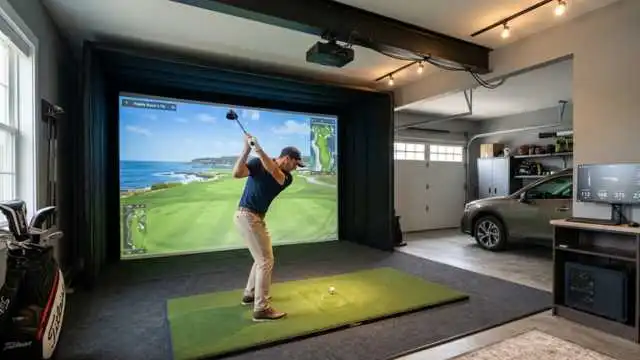
The Swing Caddie SC4 Pro is designed for players who want something better than just a speed radar but do not want to fork over thousands for a top-tier launch monitor. That is, the sweet spot for most casual players.
You have access to helpful shot data, the ability to use it indoors or outdoors, a built-in screen, and simulator software compatibility.
Table of Contents
First question: Is it really a good buy for the beginner and intermediate golfers out there? In this review of the Swing Caddie SC4 Pro, we will go over the features, performance, pros and cons, and buying advice in plain English.
What Is the Swing Caddie SC4 Pro?
Swing Caddie SC4 Pro: Voice Caddie‘s portable golf launch monitor, TracMan, uses Doppler radar technology to monitor key ball and swing metrics during practice sessions.
Some small launch monitors need a phone for almost everything, but the SC4 Pro has an onboard display. So yes, you can take the course range and set it up behind the ball, and get your numbers without opening an app.
It measures useful data points, including carry distance, total distance, swing speed, ball speed, smash factor, launch angle, apex, and (spot the Tiger reference) launch direction and spin rate. The unit is a K-band Doppler radar, Bluetooth-capable, powered by a rechargeable 7,500 mA/h battery good for around 10 hours of use.
Key Features of the Swing Caddie SC4 Pro Launch Monitor
Built-In Display
The best part of the Swing Caddie SC4 Pro launch monitor is its onboard screen. You will not be forced to go on your phone after every picture.
It helps your driving range practice feel smoother, quicker, and far less distracting. Hit balls, look at carry distance or ball speed, then do it some more.
Voice Output
After every swing, the unit can verbalize shot data. Very helpful when you are working on tempo — ball striking and do not want to break away from your setup all the time.
App Connectivity
The Swing Caddie SC4 Pro pairs with the VoiceCaddie S App, which allows for deeper analysis on your round with shot history, practice tools, and video capabilities. According to VoiceCaddie, the app can store your performance data, capture swing videos, and compare swings using overlay features.
Simulator Compatibility
Simulator support: This one matters if you are building a home golf setup. Compatible with VoiceCaddie S App; E6 Connect (listed as compatible); Optishot Orion (listed as compatible). Voice Caddie says that E6 access comes with five courses and one driving range.
Design and Build Quality

The Swing Caddie SC4 Pro has a very minimalist, compact design and feels much more like an actual training device as opposed to a candy toy. It’s small enough to take with you to the range, and big enough that you can read it without squinting.
The remote is a nice touch. You have the ability to change clubs or modify other settings without having to walk back over to the device after every shot. It’s made to sit behind the golf ball, and Voice Caddie suggests you place it 5 feet behind the ball and level with the hitting surface.
The company recommends roughly 10 feet from the ball to the screen or net for indoors. So, one thing I would immediately want to add is a case for protection. A golf bag is not a place you want to store any launch monitor with a screen rattling around unprotected.
Accuracy and Performance
The Swing Caddie SC4 Pro offers a solid balance of useful data for the price. Most golfers in this type of buying a club aren’t tour pros trying to find every decimal point.
For the average golfer, carry distance, ball speed, swing speed, launch angle, and smash factor are the most relevant statistics. These assist with club gapping, swing change comparisons, and creating specific practice sessions.
The Pro model includes app-based metrics like spin axis, sidespin, backspin, and dispersion — though those extra numbers are seen in the app rather than directly on the device display, according to a third-party review.
Like most radar-based monitors, setup is crucial. A lot of factors can contribute to results: alignment, ball position, lighting, indoor/outdoor vicinity, and whether you are hitting into a net. For optimal results, take the time to align it perfectly; it will only take a minute!!
Ease of Use
This is one of the main reasons to look at a swing caddie launch monitor over some app-heavy competitors. In essence, the SC4 Pro is quite simple to use: you charge it, place it behind the ball, choose your club, and hit shots. The integrated display makes the process easy for beginners.
The app does add some depth, but you are not required to use it in every session. That flexibility is important. But for some golfers, the simulator and shot history functionality. Some just want reliable carry distance after a lunch-break range session. SC4 Pro works well for both user types.
Data and Shot-Tracking Features
The Swing Caddie SC4 Pro provides golfers with useful information that can actually modify practice behaviour.
- Remember that Carry distance is how it helps your gapping.
- Ball speed is a representation of how well you are harnessing that power.
- This is how you monitor the speed training: swing speed.
- Smash factor is an indicator of how much energy you are transferring to the ball.
- Apex and launch angle are how we, as a community, learn about trajectory.
- Spin data can help pinpoint ballooning shots and low-spin drives.
I think for beginner golfers, carry distance and ball speed are where it will be most beneficial. At the intermediate level, the focus shifts to smash factor, launch angle, spin, and dispersion.
By reviewing sessions instead of guessing what happened, the VoiceCaddie S app also enhances the device to be more practical for long-term improvement.
Pros and Cons
Pros
- Range practice is easy with a built-in display.
- Works indoors and outdoors.
- Tracks important golf launch monitor metrics
- Voice feedback is convenient.
- Rechargeable battery of approximately 10 Hours.
- APP Now Includes Shot History, Swing Video, and Deeper Insights
- That’s what makes it worth money for home golf, too — simulator-compatible.
- Great for gapping the clubs and practicing certain shots with purpose.
Cons
- You need to make sure that the setup and alignment are correct.
- Advanced Pro data delivered from the app instead of one-on-one on your unit.
- For indoor use, it requires sufficient space for radar tracking.
- Not as sophisticated as premium systems such as TrackMan, Foresight or higher-end camera-based units.
- Maybe a good idea to purchase additional protection.
Who Should Buy the Swing Caddie SC4 Pro?
Swing Caddie SC4 Pro is Best for golfers looking to improve practice without breaking into high-end launch monitors
It makes sense for:
- Weekend Golfer Who Wants Real Distance Numbers
- Players are working on club gapping.
- Indoor golfers with a net/screen practice
- Beginners who want simple feedback.
- Beginners record swing and ball speed, and smash factor.
- A golfer who can at least use it without an intensive setup.
So if you need tour-level club data, face angle, path, impact location, or ultra-precise fitting numbers, then it is probably not for you.
How It Compares to Other Launch Monitors
The SC4 Pro has an integrated display, which is also the biggest advantage compared to the Garmin Approach R10. Most of its features rely heavily on the Garmin Golf app, whereas some can be useful even without it.
And relative to the Rapsodo MLM2PRO, an established portable launch monitor, the SC4 Pro is less enthused about video features based on cameras. Rapsodo emphasizes 15 tracked metrics, impact vision at 240 frames-per-second, and over 30,000 virtual courses to access away from the course — so it probably attracts more golfers who are chasing a video-heavy app experience.
The SC4 Pro is much more portable and range-friendly compared with SkyTrak. SkyTrak original launch monitor – an indoor photometric camera system with ball data including carry distance, ball speed, back spin, side spin, launch angle and shot shape.
So in a nutshell, the Swing Caddie SC4 Pro finds itself in a sweet spot between basic portable monitors and pricier simulator-focused systems.
Is the Swing Caddie SC4 Pro Worth the Price?

Using recent posts on Voice Caddie, I see the Swing Caddie SC4 Pro is currently priced at $599.99, with promotional discount language appearing to match our page view date. Click here to check the latest price.
Hardly an impulse at that price. However, it is still well below the level of premium launch monitors that run several thousand dollars. The value varies based on your practice. This is probably more tech than you need if you only go out to hit balls once every month or so and never actually look at the data.
However, if you practice often, you work on your distance control, or are looking for a very basic home simulator setup, the SC4 Pro will make its price point worthwhile. Standalone, useful data, app features, and simulator compatibility contribute to its greatest value.
Buyer’s Guide: Is This Launch Monitor Right for You?
Things to Consider about the Swing Caddie SC4 Pro before you buy 1.
First, are you looking for simple range feedback or deep simulator play? If distance is the main requirement- in your case, swing speed, ball speed, and smash factor— the SC4 Pro could be a good fit. For full club path and face data, you will likely need a higher-end system.
Second, where are you going to spend most of your time using it? Very outdoorsy type, easy to set up. Indoors: have sufficient room space behind the ball, headspace & ball flight into your net/screen.
Third, are you going to use the data? A launch monitor is only useful if it alters how you practice. This can be used for club gapping, where to hit your wedges, driver testing, and trend tracking over time.
Final Verdict
Whenever you can provide meaningful launch monitor metrics for under what premium launch monitors charge, there is reason to celebrate, and the Swing Caddie SC4 Pro is a very smart option for nearly every golfer looking to measure their ball-striking on a budget.
It’s user-friendly, portable, useful for club gapping, and versatile enough for range work or home sessions on your simulator. It is not perfect. Alignment is important, but the indoor installation takes up some space, and when it comes to advanced data, it lives in the app.
However, for lots of US golfers, this is the sweet-spot range between price-point and everyday usability from a distance monitoring viewpoint — the affordable Swing Caddie SC4 Pro launch monitor.
The Swing Caddie SC4 Pro is one of the best-reviewed golf launch monitors, which can feel like a waste of money if you wish to make your practice sessions appear more measurable.
FAQs
Yes. Tethered to a bolted-on display, it means it is comparatively simple to set up and use. New golfers are able to hone in on carry distance, ball speed, and swing speed without being bombarded with information.
Of course, it can be performed more effectively inside, and yet, place matters. For indoor use, Voice Caddie suggests putting the unit 5 feet behind the ball and having about 10 feet from the ball to the net or screen.
It records key statistics such as carry distance, total distance, launch direction, swing speed, ball speed, smash factor, and launch angle (apex), and spins per minute. There are also more advanced spin and dispersion details available in the app from the Pro features.
No. You have basic practice data on the built-in display. But for saved shot history, swing video, and overlays—and all the more advanced stuff—you’re going to need the app.
Yes. It works alongside the complimentary VoiceCaddie S app, and is compatible with E6 Connect, rated “incompatible,” and Optishot Orion as well.
The Pro maintains the physical appearance, but offers up some additional app-based data and a better experience overall in-app, with extra metrics onboard – spin axis, sidespin, backspin, and dispersion also included.