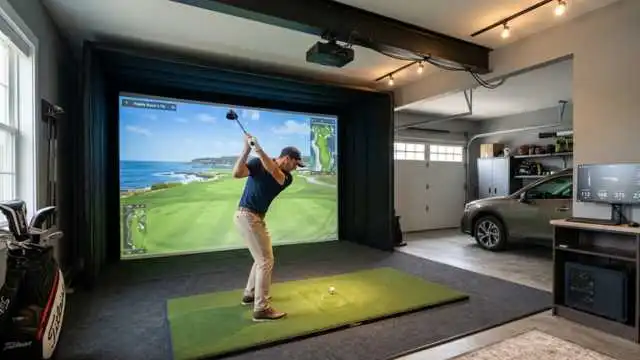
The Blue Tees Rainmaker Launch Monitor is attracting golfers who want accurate swing and ball data without the high price tag of premium launch monitors.
For many players, the goal is simple. They want to know how far they actually hit each club, whether their ball speed is improving, and if their practice sessions are helping. A good launch monitor can make that easier.
The Blue Tees Rainmaker is designed to be a portable golf launch monitor for the range, backyard net, or home simulator setup. It uses Doppler radar, includes a built-in display, and connects with the Blue Tees LAUNCH App for deeper data and simulation features.
This review breaks down what it does, who it is for, where it looks strong, and what you should think about before buying.
Table of Contents
What Is the Blue Tees Rainmaker Launch Monitor?
The Blue Tees Rainmaker Launch Monitor is Blue Tees Golf’s portable launch monitor built for everyday golfers who want shot data in a simple format.
Instead of needing a large simulator setup, the Rainmaker is made to sit behind the ball and track shot data using Doppler radar. Blue Tees says it can be used at the range, in the backyard, or in a simulator bay.
It tracks key data such as ball speed, launch angle, launch direction, apex, carry distance, total distance, spin-related numbers, club speed, club path, attack angle, and smash factor. Some metrics are available through the LAUNCH App only.
The listed price on the official Blue Tees page is $599.99, which places it in the affordable launch monitor category compared with premium units that can cost several thousand dollars.
Key Features of the Blue Tees Rainmaker Launch Monitor

Doppler Radar Tracking
The Rainmaker uses Doppler radar to track ball and club data. This is common in many portable launch monitors because radar works well outdoors and can be useful indoors when the setup space is correct.
For golfers, the value is simple. You get feedback after each shot instead of guessing based only on ball flight.
Built-In 4.3-Inch Display
One of the most useful features of the Blue Tees Rainmaker launch monitor is the built-in screen.
The official product page lists a 4.3-inch TFT LCD, which means you can see important numbers without needing to look at your phone after every swing.
That matters during practice. If you are working on wedge distance, driver speed, or iron gapping, quick feedback keeps the session moving.
Three Standalone Modes
The Rainmaker includes three offline modes: Practice, Target Distance, and Swing Speed. These modes are designed to work even without relying on the app during every session.
Practice Mode is best for normal range sessions. Target Distance Mode helps with dialing in yardages. Swing Speed Mode lets you measure clubhead speed without hitting a ball.
20+ Performance Metrics
Blue Tees says the Rainmaker tracks more than 20 performance metrics. These include core numbers like ball speed, launch angle, carry distance, total distance, club speed, club path, and smash factor.
For average golfers, the most useful numbers will likely be carry distance, ball speed, launch angle, club speed, and smash factor. These are easier to understand and can help you make better practice decisions.
Blue Tees LAUNCH App Support
The Rainmaker portable launch monitor can connect with the Blue Tees LAUNCH App for deeper insights, shot tracking, dispersion maps, advanced metrics, and club data syncing.
This is helpful if you want to look at trends over time instead of judging your game from one practice session.
Simulator Compatibility
Blue Tees says the Rainmaker connects with popular simulator platforms like E6 and GSPro.
That makes it more appealing for golfers who want range practice and some indoor golf simulator use from the same device.
Water Resistance and Remote Control
The Rainmaker is rated IPX4 water-resistant, which means it is built to handle light exposure to rain or mist, not full submersion. It also has a detachable magnetic remote so golfers can change clubs or modes without walking back to the unit each time.
Performance and Accuracy
Accuracy is the biggest question with any launch monitor. The Blue Tees Rainmaker launch monitor appears to offer a strong amount of data for the price, but buyers should keep expectations realistic.
A recent hands-on PlayBetter review found that core numbers such as ball speed, club speed, carry distance, smash factor, and outdoor spin were generally believable for most full shots. The same review also noted some caveats, including attack angle reading high at times and total distance appearing inflated in some testing.
That is not unusual in this price range. Many budget-friendly launch monitors are helpful for trends, gapping, and practice feedback, but they are not the same as a professional-grade fitting system.
For most golfers, carry distance is more useful than total distance. Carry tells you how far the ball flies before landing. Total distance can depend on ground firmness, slope, wind, and rollout assumptions.
The Blue Tees Rainmaker should be judged as a practice tool first. It can help you learn your distances, spot patterns, and make range sessions more focused.
Ease of Use
The Blue Tees Rainmaker launch monitor is built around a simple setup. Place it behind the ball, align it correctly, choose the club or mode, and start hitting.
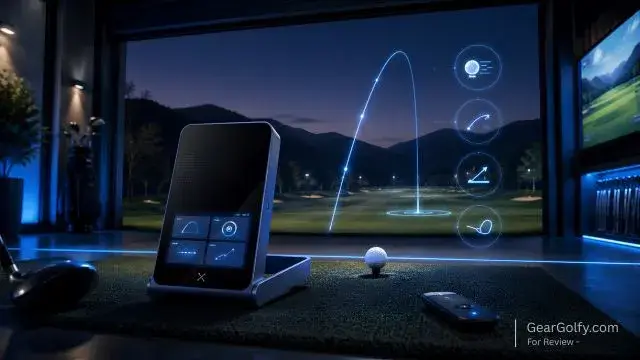
The built-in display helps because you do not need to unlock your phone after each swing. The remote is also a smart touch, especially because radar units usually sit several feet behind the hitting area. For beginners, the main learning curve is understanding which numbers matter.
Start with these:
Carry Distance
This tells you how far each club flies. It is one of the best numbers for club gapping.
Ball Speed
Shows how fast the ball launches off the clubface the moment you make contact. Better contact usually improves ball speed.
Launch Angle
This helps you see whether the ball is launching too low, too high, or in a playable window.
Smash Factor
This compares ball speed to club speed. It can give you a quick idea of strike efficiency. You do not need to obsess over every metric right away. Use the Rainmaker to answer practical questions, like “How far does my 8-iron carry?” or “Am I gaining driver speed?”
Portability and Design
Portability is one of the strongest selling points of the Blue Tees Rainmaker launch monitor. It is designed for the range, backyard, and simulator bay.
The official page highlights its adjustable stand handle, built-in screen, detachable magnetic remote, and IPX4 water resistance. That makes it a good fit for golfers who do not want a permanent indoor setup.
The built-in display also gives it an advantage over portable units that rely heavily on a phone or tablet. You can still use the app when you want deeper analysis, but you do not need it for every basic practice session.
Who Should Buy the Blue Tees Rainmaker Launch Monitor?
The Blue Tees Rainmaker launch monitor is best for golfers who want more useful practice data without spending premium launch monitor money.
It makes sense for:
Range Golfers
If you practice at the driving range often, the Rainmaker can help you stop guessing your distances.
Home Net Users
If you hit into a backyard or garage net, launch data gives you feedback when you cannot see the full ball flight.
Golfers Building a Budget Simulator
Simulator compatibility with E6 and GSPro makes it worth considering for indoor golf setups.
Blue Tees Ecosystem Users
If you already use Blue Tees products, the Rainmaker may fit nicely with the brand’s app and club data features.
Mid to High Handicap Golfers
You do not need to be a low handicap player to benefit from launch monitor data. In fact, average golfers may gain the most by learning real carry distances and improving strike consistency.
Pros and Cons
Pros
- Built-in 4.3-inch display
- Tracks more than 20 ball and club metrics
- Three standalone practice modes
- Works indoors and outdoors with proper setup
- Portable design for range or home use
- App support for deeper data
- Compatible with E6 and GSPro
- IPX4 water resistance
- Detachable magnetic remote
- Competitive price compared with premium systems
Cons
- Not a replacement for tour-level launch monitors
- Some advanced features may depend on app or subscription access
- Accuracy may vary by metric and setup
- Total distance should be viewed carefully
- Indoor use needs enough ball flight and correct spacing
- App experience and integrations may matter a lot to long-term value
Comparison With Other Portable Golf Launch Monitors
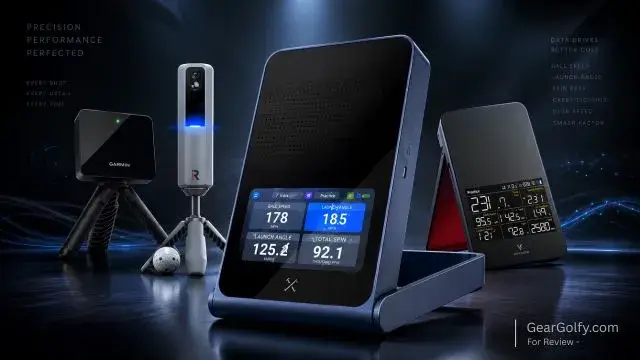
The market for portable golf launch monitor devices has become much more competitive. The Rainmaker sits in a space with products like the Garmin Approach R10, Rapsodo MLM2PRO, and Swing Caddie SC4 Pro.
Blue Tees Rainmaker vs Garmin Approach R10
The Garmin Approach R10 is one of the best-known affordable radar launch monitors. It is compact and popular with golfers who want app-based practice and simulator features.
The Rainmaker’s biggest advantage is its built-in display. With the R10, many users rely more heavily on a phone or tablet during practice.
The Rainmaker may be more convenient for golfers who want quick range feedback without checking a mobile device after every shot.
Blue Tees Rainmaker vs Rapsodo MLM2PRO
The Rapsodo MLM2PRO combines radar with dual camera features and offers strong video feedback. Rapsodo lists features such as dual optical camera vision plus radar processing, 15 metrics, simulator play, impact vision, and swing replay.
Rapsodo also has a Premium Membership model. Its official membership page lists a 45-day trial and then an annual subscription option at $199.99.
The Rainmaker may appeal more to golfers who want a built-in screen and a lower ongoing app cost. The MLM2PRO may appeal more to golfers who value video feedback and camera-based swing review.
Blue Tees Rainmaker vs Swing Caddie SC4 Pro
The Swing Caddie SC4 Pro also has strong portable practice appeal. Voice Caddie highlights portability, easy setup, voice output, a remote control, app support, and E6 Connect compatibility.
The Rainmaker competes well because it offers a built-in display, app-based advanced data, and GSPro/E6 compatibility. The SC4 Pro may still appeal to golfers who prefer its voice feedback and free app setup.
How the Rainmaker Stands Out
Among blue tees launch monitors, the Rainmaker stands out because it brings the brand into the launch monitor category with a device focused on portability, a built-in screen, and connected app features.
Its strongest selling points are convenience, display quality, practice modes, and the amount of data offered for the price.
Buying Considerations
Before buying the Blue Tees Rainmaker launch monitor, think about how you actually practice.
Where Will You Use It?
If you mostly practice at the range, the Rainmaker is a natural fit. If you plan to use it indoors, check your available space carefully.
Radar launch monitors usually need room behind the ball and enough ball flight into the net or screen to read shots properly.
Which Metrics Matter to You?
Do not buy a launch monitor just because it has a long list of numbers. Buy it because it gives you numbers you will use. Most golfers should focus on carry distance, ball speed, launch angle, club speed, and dispersion.
Do You Want a Screen?
If you hate using your phone during practice, the Rainmaker’s display is a major advantage.
Are You Building a Simulator?
If simulator play matters, check current E6 and GSPro compatibility, subscription details, and software requirements before buying.
Are You Comfortable With App Features?
The Rainmaker has standalone modes, but the app unlocks deeper value. If you want long-term stat tracking, dispersion charts, and club data syncing, app quality matters.
What Is Your Budget?
At $599.99 on the official Blue Tees page, the Rainmaker is priced in a competitive range for golfers who want more than a basic swing speed radar but do not want a premium unit.
Final Verdict
The Blue Tees Rainmaker launch monitor looks like a strong option for golfers who want portable shot data, a built-in screen, and useful practice features at a mid-budget price.
It is not perfect, and golfers should not expect the same precision as a high-end fitting studio launch monitor. But for range work, club gapping, home practice, and casual simulator use, it offers a lot of value.
The biggest reasons to consider it are the built-in display, three standalone modes, app support, 20+ metrics, and simulator compatibility. The biggest reasons to pause are possible accuracy variation, app dependence for deeper features, and the need for proper indoor setup.
For the right golfer, the Blue Tees Rainmaker launch monitor can make practice more focused, more measurable, and more fun.
FAQs
Yes. Beginners can use it to learn real carry distances, improve contact, and make practice more focused.
Yes. It has standalone modes and a built-in display, so you can use it without checking an app after every shot.
It tracks more than 20 metrics, including ball speed, launch angle, carry, total distance, spin-related data, club speed, club path, attack angle, and smash factor. Some metrics are app-only.
No, a subscription is not required to use the Blue Tees Rainmaker Portable Launch Monitor. You can access its core tracking features and performance data without paying a monthly fee. However, if Blue Tees introduces optional premium app features in the future, those may require a separate subscription.
Yes, but indoor performance depends on correct spacing, alignment, and setup. Radar launch monitors need enough room to track the shot properly.
It is worth considering if you want a portable golf launch monitor with a built-in display, app tracking, and simulator compatibility at a lower price than premium launch monitors.