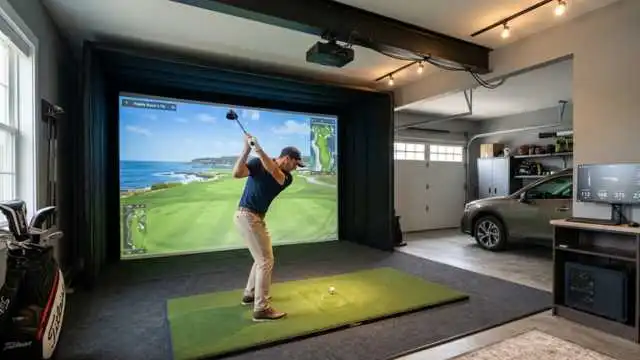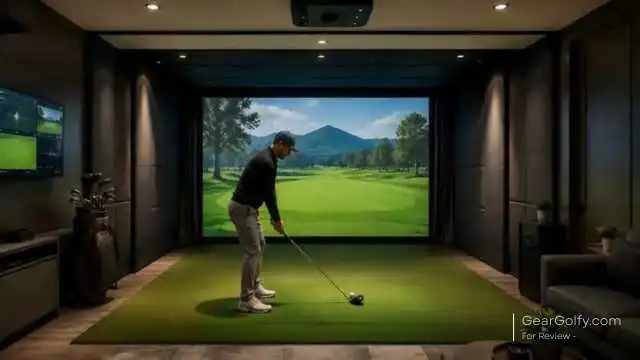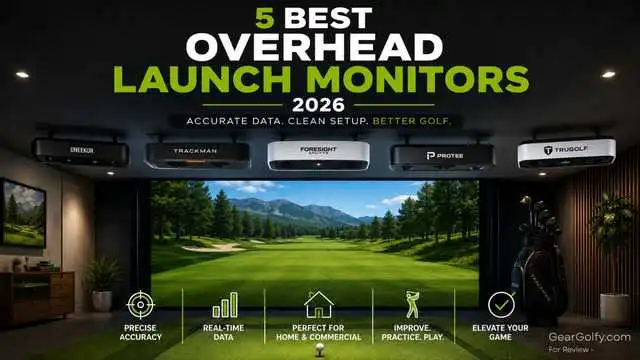
Overhead launch monitors are now the choice of golfers building a high-end indoor golf pro-set. In contrast to portable units that are positioned alongside or behind the ball, ceiling-mounted systems remain out of the hitting area to keep floors clean and allow both right- and left-handed golfers to hit shots without having to continually reposition the device.
Best Overhead Launch Monitors for Home Simulator Owners, Coaches, Club Fitters, and Commercial Golf Studios. Overview: A permanent structure that provides excellent ball tracking, effective club data, and is compatible with most simulator software to provide a more sophisticated hitting bay feel.
Of course, these systems do not come cheap, but they are designed for golfers who are serious about indoor practice and not just a garage gadget.
Overhead golf launch monitors are perfect if you prefer a cleaner simulator room, a larger hitting area, and want to eliminate several setup steps before every session.
In this guide, we compare five of the best overhead launch monitors for 2026 by accuracy, data points, space needs, installation challenge, software ecosystem, and value for U.S. buyers.
Table of Contents
5 Best Overhead Launch Monitors of 2026
1. Uneekor EYE XO2 — Best Overall
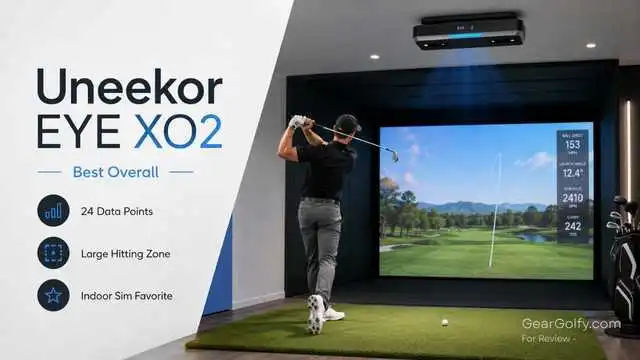
Best For: Serious golfers, teaching pros, and high-end home sim builds.
Uneekor EYE XO2: Best Overhead Launch Monitor for golfers needing a large hitting zone with high levels of detail on club data, great simulator compatibility, and seamless permanent installation.
Equipped with three high-speed cameras, the Uneekor EYE XO2 is a front-mounted and overhead launch monitor tracking 24 data points, infrared tracking, Dimple Optix ball reading, and a Swing Optix camera bundle.
Key Features:
- Front-mounted ceiling design
- Three high-speed infrared cameras
- 24 ball and club data points
- 21″ x 28″ hitting zone
- Swing Optix cameras included
- Feature/ Short Description: AI Trainer subscription is free for the first year
- Third-party simulator compatibility
- Note: Requires PC and Ethernet connection.
Pros:
- A great, balanced mix of precision, usefulness, and depth of data
- Assistance of a large hitting zone enables varied players to utilize the same bay
- Fighting Friendly and Simulator Feasible
- Swing Visualization in Real Time is a Great Improvement Tool
- Very good choice for ambidextrous households
Cons:
- Expensive for casual golfers
- Club stickers are needed for tracking you in a club
- PC Minimum Requirements contribute up to 15% of the total build cost
- Fixed indoor installation only
Performance Review:
Normally, you wouldn’t recommend a pricey indoor simulator over some other, less expensive but decent models.
However, the EYE XO2 is literally the best value for money performance-wise, combining laser-like tracking with a hitting zone big enough to use IRL. The extra hitting area makes the bay feel more like a real golf shot, reducing frustration compared with smaller overhead golf launch monitors.
Accuracy:
It monitors critical data like ball speed, launch angle, back spin, side spin, carry, total distance, club speed, smash factor, club path & plane face angle, dynamic loft, and impact point. With 24 total data points, Uneekor has one of the more complete systems on this rather limited list.
Setup and Space Requirements:
Setup difficulty is from moderate to advanced. This requires ceiling mounting, calibration, and a gaming-capable Windows PC, plus enough breadth of movement for a safe swing. A more dedicated simulator room with ceiling heights upwards of ~9–10 feet is ideal.
Who Should Buy It:
If you’re only swinging indoors with a simulator on a bay shared by multiple golfers and want one of the best overhead launch monitors long-term, grab the EYE XO2.
Who Should Avoid It:
If you need portability and outdoor readiness, a launch monitor designed to be well below cost-for-level for low use.
Final Verdict:
Best overall: Uneekor EYE XO2. The best all-around pick for serious golfers looking for a solid blend of accuracy, hitting-zone versatility, software support, and premium simulator feel.
Rating: 4.8/5
Read The Uneekor EYE Mini Launch Monitor Review and Comparison, This is another Uneekor Product.
2. Trackman iO — Best Premium Option
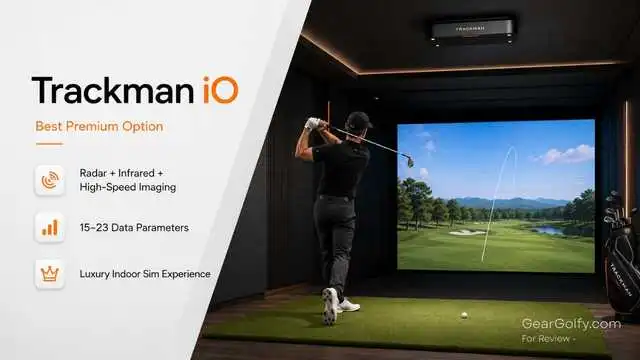
Trackman iO is a ceiling-mounted indoor launch monitor made for home and commercial simulator setups. Best For: Golfers who want the ultimate indoor package from Trackman.
According to Trackman, the iO uses radar (which sends out a pulse in an invisible cone), infrared (pinpoints a target), and high-speed imaging to provide instant club-and-ball analysis through a ceiling-mounted unit at home solutions starting at $13,995.
Key Features:
- Ceiling-mounted indoor design
- Radar, infrared, and high-speed imaging
- Home and Home Complete package
- Check the 15 data parameters on the Home package
- 23 data points on Home Complete package
- Trackman software ecosystem
- Minimum distance in front of and behind the ball is not required
- Trackman iO DUO adds compatible bays for left/right-handed players
Pros:
- Premium brand reputation
- Excellent software and data ecosystem
- Clean ceiling-mounted setup
- A robust option for luxury-level home construction
- No extra lighting required
Cons:
- High starting price
- An advanced club’s data needs a higher-tier package
- Subscription/software cost should be considered
- Not ideal for budget-focused buyers
Performance Review:
Trackman iO — While not the most budget-friendly option, a best overhead launch monitor for golfers seeking that next best level in software, data history, practice modes, virtual golf, and brand credibility.
Accuracy:
iO is data-true, i.e., it gives you measured 3D spin and spin axis. Trackman PlayBetter also includes radar, infrared, and high-speed imaging, costing between $13,995 and $23,495 depending on the package.
Setup and Space Requirements:
The setup is complex, but after installation, it runs clean. Trackman’s support docs state calibration heights between 8’10” and 10’6″. (This varies based on the version/config)
Who Should Buy It:
Buy Trackman iO: Buy the Trackman iO if you want a full premium simulator experience and really love the software Trackman offers, and can afford to do so for a long-term indoor setup.
Who Should Avoid It:
You can say goodbye to it if you want maximum data at the lowest upfront cost.
Final Verdict:
However, for anyone who values the Trackman ecosystem as much as the hardware itself, Trackman iO is our best all-rounder overhead launch monitor premium pick.
Rating: 4.7/5
Read our another review post to know about Vtrack Launch Monitor Review for home golf.
3. Foresight Sports Falcon — Best for Commercial Studios
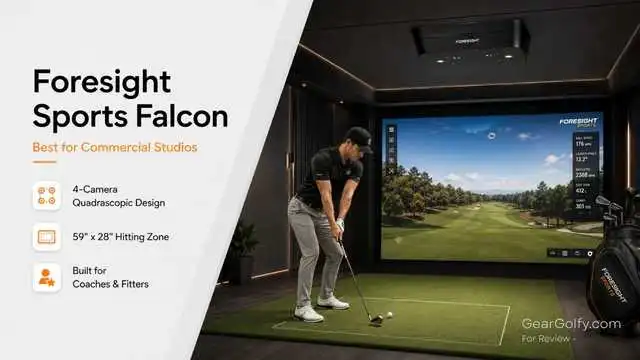
The Foresight Sports Falcon is a small overhead launch monitor designed for high-end indoor facilities. Good For: Coaches and club fitters, as well as simulator lounges and commercial studios
Foresight calls it a redesigned compact overhead, with faster processing, easy to install, and a light-hitting area with Quadrascopic Technology from the GCQuad family.
Key Features:
- Ceiling-mounted photometric system
- Four-camera Quadrascopic design
- 59″ x 28″ hitting zone
- 43″ long unit
- 26 lb body
- Gigabit Ethernet data rate
- Automatic latching ceiling mount
Launch measures → Spin measures → Club measures → Face/off angle/path/impact/etc.
Pros:
- Built for commercial volume
- Large hitting zone
- No constant floor repositioning
- Well-established brand equity in fitting and coaching
- It is great for serious lessons and client-facing simulator bays
Cons:
- Premium price
- Greater than most of the house-playing golfers need
- Not every GSPro-first buyer is going to want the FSX ecosystem
- Professional installation is strongly recommended
Performance Review:
The Falcon is built for a high-use environment, so it deserves to be on any overhead launch monitor list. Falcon is more relevant than most consumer hardware systems to a teaching pro or simulator business that requires consistent ball and club data on many players each day.
Accuracy:
Foresight includes measured data such as launch angle, club path, side angle, angle of attack, ball speed, loft, and spin, including lie angle, face angle, spin axis, impact location, club head speed, and closure rate.
Setup and Space Requirements:
Setup difficulty is advanced. While the Falcon is smaller than the older GCHawk, it remains a commercial-class, ceiling-mounted system that requires professional installation and an engineered bay.
Who Should Buy It:
Buy the Falcon if you have a teaching studio, simulator business, fitting center, or high-end multi-user setup.
Who Should Avoid It:
If you are just going for a simple home simulator and don’t require industrial specs yourself, avoid it.
Final Verdict:
If you’re looking for the top best overhead launch monitor for your commercial simulator space (think arcade, office space, etc.) and price is not an issue, but reliability, data quality, customer support, and overall user satisfaction are important to you, Falcon could be the ideal choice.
Rating: 4.7/5
4. ProTee VX — Best Value
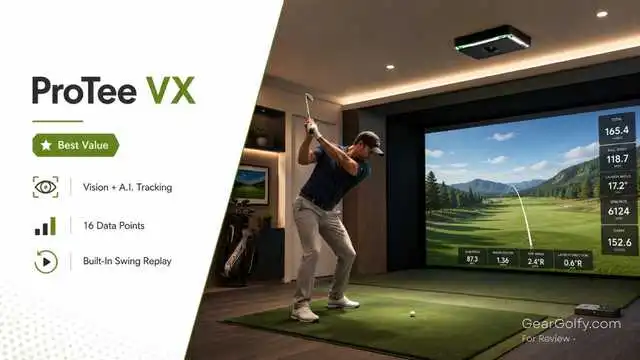
Best For: Golfers seeking ceiling-mounted performance for less than premium competitors.
The ProTee is one of the most intriguing “overhead” golf launch monitors simply because they’ve made ceiling-mounted tracking more accessible in terms of price. ProTee refers to the VX as a budget-conscious, high-performance Vision and A.I.-driven ceiling launch monitor.
Key Features:
- Ceiling-mounted launch monitor
- Dual-camera system
- Vision and AI-powered tracking
- 16 data points
- Built-in swing video replay
- Simulator software included
- Compatible setups for E6 and GSPro
- Simple mounting and calibration process
Pros:
- A permanent simulator has strong value
- Training modes with built-in video replay
- Good for both right- and left-handers
- More affordable than many high-end top-down systems
- HOMAGE TO THE PAST: good upgrades for home simulators
Cons:
- Similar, but not as established as the Uneekor, Trackman, or Foresight
- Requires ceiling installation and calibration
- The long-term support ecosystem has yet to fully mature
- Not portable
Performance Review:
If you want the best overhead launch monitor style for the best right- and left-handed shooters, but want to skip the five-figure price tag, the ProTee VX is a smart buy. It is particularly appealing for golfers who like the visual feedback component and swing replay.
Accuracy:
Top Shelf Golf has 16 data points, dual cameras with overhead mounting, as well as built-in video replay and inclusion of simulator software for the VX.
Setup and Space Requirements:
The VX reads the ball and club within the gap between the hitting mat to device according to ProTee’s setup guide (9–10 feet from the hitting surface to the ceiling cited in setup).
Support from ProTee has also suggested that 10 feet is optimal; other heights can work, but may not always offer the same level of performance.
Who Should Buy It:
If you are in this price bracket and you want one of the best overhead launch monitors for value, then buy ProTee VX instead of Falcon or a more expensive Trackman, EYE XO2.
Who Should Avoid It:
Skip it if you are looking for the most mature brand ecosystem or a fully-priced commercial platform.
Final Verdict:
Recommended ProTee VX – Best Value: The ProTee VX is the best value option for dedicated home golfers who desire ceiling-mounted convenience, basic yet useful data, and swing replay.
Rating: 4.5/5
5. TruGolf APOGEE — Best for Easy Setup
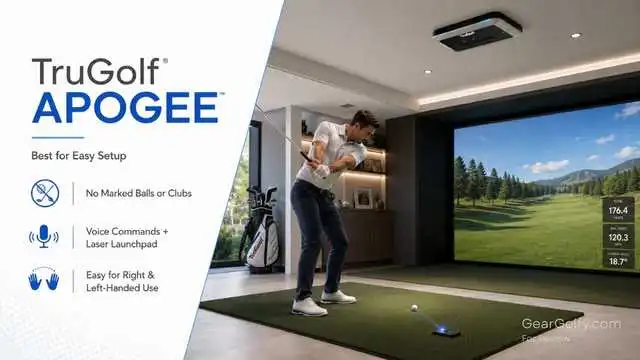
The TruGolf APOGEE is already a ceiling-mounted launch monitor, and this will make finding off-course indoor golf simple. Best For: Home sim users looking for simple operation and easy access to right/left-handed use.
According to TruGolf, APOGEE captures data about the club hitting the ball as well as initial ball flight characteristics without needing a marking pen on clubs or “special” balls; it provides slow-motion replays of impact; it does onboard processing for almost instant feedback; and supports right- and left-handed players.
It also features voice commands, unlike other golf launch monitors Trugolf has made in the past, while a Laser Launchpad helps you place your ball where it’s supposed to go.
Key Features:
- Ceiling-mounted design
- Does not need a marked ball or specialized clubs
- Slow-motion point-of-impact replay
- Onboard processor
- Voice commands
- Laser Launchpad
- Comes with E6 by TruGolf ENJOY subscription
- Captures key club and ball data
Pros:
- Very user-friendly
- Makes it a great option for mixed right- and left-handed households
- No club stickers or special balls
- Voice commands improve simulator flow
- Best match for TruGolf simulator packages
Cons:
- Not as high a number of data points are listed like other competitors
- Works best inside TruGolf’s ecosystem
- Not the cheapest ceiling-mounted system
- Not as attractive for golfers who want full club fitting data
Performance Review:
There is a reason APOGEE belongs on the list of top best overhead launch monitors: Convenience. The most advanced data set may not make for the best system for many home golfers; it is simply one that all can easily use around the house.
Accuracy:
TruGolf displays measured data for ball speed, back spin, side spin, vertical launch angle, horizontal launch direction, and club head speed (as well as club face angle and club path).
Setup and Space Requirements:
Setup difficulty is moderate. APOGEE’s dimensions are 38″Wide x 5.5″High x 8″deep, weighing around 22 lbs, so ceiling structure/alignment is important as well!
Who Should Buy It:
If you’re looking for one of the best overhead launch monitors, simple operation, family fun, simulator rounds, or to keep a clean fixed setup, get the APOGEE
Who Should Avoid It:
Avoid it if: You need the deepest club-fitting data set and freedom to mix and match software from third parties.
Final Verdict:
The TruGolf APOGEE is the simplest recommendation for golfers who want a Q2-long simulator experience mounted to a ceiling without constant fiddling.
Rating: 4.4/5
Guide to Choosing the Best Overhead Launch Monitor
Finding the best overhead launch monitors depends on your space, your budget, and how you want to use the simulator.
Accuracy:
When it’s all about improving your game, you want direct information on ball speed, launch angle, and spin, as well as carry, along with club path and face angle. But commercial users can target systems that have been consistently precise for thousands of shots.
Ball and Club Data:
Not every metric is tracked by every monitor. Certain products analyze these from a ball standpoint, whereas others harvest data about the club delivery itself, such as face angle, club path, attack angle, dynamic loft (for customizable heads), lie angle, and impact location.
Simulator Compatibility:
Make sure GSPro, E6 Connect, TGC 2019, FSX Play, or their own software is compatible with the system. The software can be as important for long-term playability as the hardware.
Ceiling Height:
For overhead golf launch monitors to work, you need about 9–10 feet of ceiling. Trackman iO has set height ranges for its calibration, while ProTee VX states 10 feet is the most optimal.
Hitting Area Size:
Easier to use, especially with multiple golfers, thanks to a larger hitting zone. Where the EYE XO2 and Falcon shine.
Right- and Left-Handed Support:
Overhead systems do not require as much maintenance, which is one of the reasons to choose overhead systems. Designed to be a mounted unit, the intention is not to have to move from one side to another for a portable monitor.
Installation Requirements:
These overhead units are cleaner post-installation, but are not “plug and play”. This includes a plan for mounting, cable management and routing, calibration steps (for the PC settings), projector position and alignment calculations, and placement of your impact screen.
Budget:
Prices for the top-tier overhead launch monitors vary widely, starting around mid-four figures and exceeding $20,000 with hardware/software packages. Keep in mind that a gaming PC, enclosure, hitting mat, projector + screen + turf, and subscriptions will eat up budget.
Home vs Commercial Use:
Golfers at home should look for usability and value for money. For example, hitting zone, durability, service to support, and client-facing reliability should all be the top priorities for commercial studios and coaches alike.
Final Recommendation
Top Pick: The Uneekor EYE XO2 stands out as the best choice for serious golfers. It provides an ample hitting area, bulletproof ball and club data, good software compatibility, and a premium indoor experience without the Trackman or Falcon price tag.
- Best Overall: Uneekor EYE XO2
- Best Premium Option: Trackman iO
- TruGolf APOGEE Best Home Simulator
- Best Value: ProTee VX
- Top Coaches or Commercial Studios: Foresight Sports Falcon
Best overhead launch monitors are certainly well worth your consideration if you are going to build a permanent indoor golf room because they produce the cleanest of setups and, since their construction is more than a one-trick pony.
There is a much easier capability for supporting multiple players, as well as often feeling more professional when using them compared with portable units. Pick the EYE XO2 if budget allows.
You own a business — choose Falcon. For value, go ProTee VX. APOGEE is for if you want simple. Choose Trackman iO if you want the ecosystem of Trackman.
FAQs -About the Best Overhead Launch Monitors
Yes. Because these types of launch monitors are entirely non-lethal for indoor use (utilizing camera/infra-red/radar/phometric tracking in the impact zone), many tend to be quite accurate.
Regardless of how good it is, its accuracy remains highly dependent on proper installation and lighting, as well as software setup.
Yes. This is one of their biggest benefits. Since the unit is above the hitting area, most overhead systems are easily shared equally by both right- and left-handed golfers without having to move the monitor.
Yes. Some of the best overhead launch monitors are made to be used for home golf simulators, garages, basements, or dedicated indoor rooms. Just be sure that your height, depth, and width of space and PC setup are good.
They also show ball speed, launch angle, launch direction, back spin, side spin, spin axis, depending on the model, carry distance, total distance, club speed, club path, face angle, attack angle, dynamic loft, lie angle, and impact location.
If you are building a long-term simulator, sharing the bay with other golfers, or if you’re coaching, fitting clubs, or practicing indoors seriously, then they are worth it. A more portable launch monitor will be a better option for casual practice purposes.